TreeView
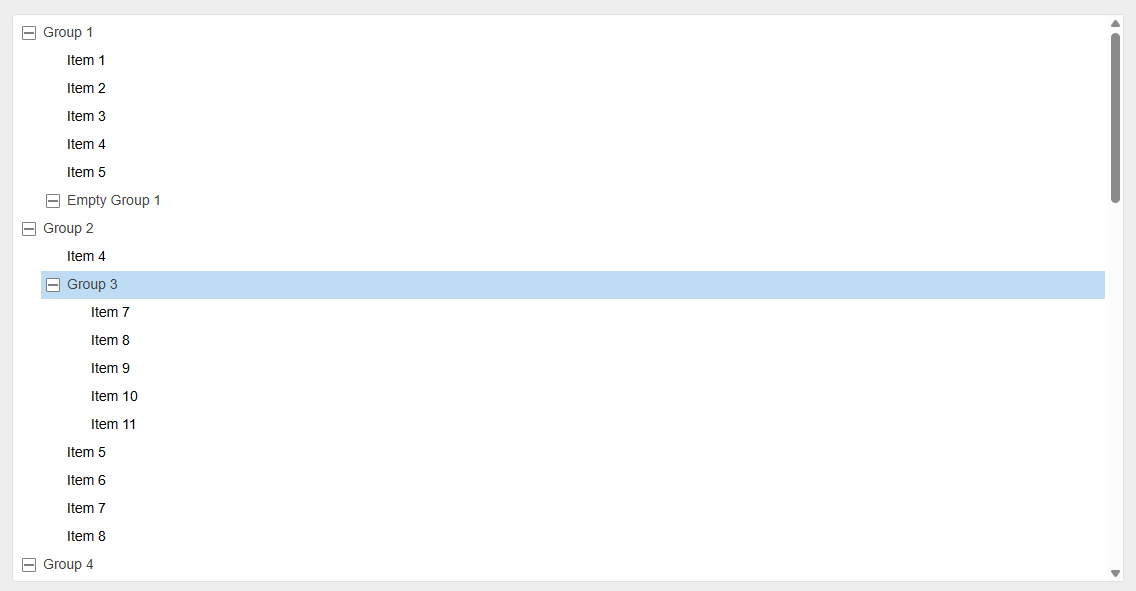
Tree nodes come in two flavors: an item or a group.
- An
itemis a leaf node (no nested children) and represents a single selectable entry. - A
groupis a folder-like node rendered as anli.groupfollowed by anol.childrenelement that contains its childlielements; groups include a toggle control and can be collapsed or expanded.
Constructor Options
ts
export type DragStartCallback = (
  event: DragEvent,
  node: HTMLLIElement
) => boolean;
export type DropCallback = (
  event: DragEvent,
  dropLocation: DropLocation,
  orderedNodes: HTMLLIElement[]
) => boolean;

/**
 * Options for configuring the `TreeView` instance.
 */
export interface TreeViewOptions {
  /**
   * Callback invoked when a drag is initiated on a node.
   * Return `false` to cancel the drag operation.
   * @default null
   */
  dragStartCallback?: DragStartCallback;

  /**
   * Callback invoked when a drop occurs.
   * Return `false` to prevent reparenting of the dragged nodes.
   * @default null
   */
  dropCallback?: DropCallback;

  /**
   * When `true`, enables selecting multiple nodes in the tree.
   * @default false
   */
  multipleSelection?: boolean;
}
Public Methods
The following is a compact TypeScript representation of the public surface of the TreeView class.
ts
export class TreeView extends EventTarget {
  root: HTMLOListElement;
  selector: TreeViewSelector;

  constructor(container: HTMLDivElement, options?: TreeViewOptions);

  scrollIntoView(element: Element): void;
  clear(): void;

  append(
    element: HTMLLIElement,
    type: "item" | "group",
    parentGroupElement?: HTMLLIElement
  ): HTMLLIElement;

  insertBefore(
    element: HTMLLIElement,
    type: "item" | "group",
    referenceElement: HTMLLIElement
  ): HTMLLIElement;

  insertAt(
    element: HTMLLIElement,
    type: "item" | "group",
    index: number
  ): HTMLLIElement | null;

  remove(element: HTMLLIElement): void;

  moveVertically(offset: number): void;
  moveHorizontally(offset: number): void;
}
Events
The TreeView instance is an EventTarget and emits the following custom events:
| Event name | Trigger |
|---|---|
selectionChange | When the user selects or deselects items/groups. |
activate | When the user double-clicks or presses Enter on a selected item/group. |
Use addEventListener to subscribe:
ts
tree.addEventListener("selectionChange", () => {
  console.log("Selection changed!");
});

tree.addEventListener("activate", () => {
  console.log("Activated!");
});