
💡 Features
- Chunked world (default 16³) - only dirty chunks are rebuilt each frame, the rest are left alone
- Named layers with explicit visual compositing or cell replacement
- Toggle visibility, reorder, add/remove layers, and move them in world space
- Face culling between adjacent solid voxels to keep triangle counts low
- Vertex pulling: 8 bytes per face, vertices rebuilt in the shader - about 17x less chunk geometry memory than per-vertex attributes
- Many built-in block shapes (cube, slabs, ramp, corners, pole, stairs) and a
BlockShapeinterface for custom geometry - Per-block transforms via a packed byte - 90° Y rotations and X/Z flips without duplicating definitions
- Multiple blocksets at different resolutions; tiles referenced by
{ blocksetId, col, row } - Per-face texture overrides on any block definition
"lambert"(default) or"standard"(PBR) material modes- Opaque, masked, and blended block surfaces with configurable sides and mask cutoff
save()/load()round-trips the full world state as plain JSON- World recorders that report the cells each write replaced, for an undo history to invert
- Optional physics through the backend-agnostic
VoxelColliderinterface, with"box"or"trimesh"colliders rebuilt per dirty chunk and a Rapier3D plugin included; zero extra dependency if omitted - Compatible with JollyPixel engine logger
- Inspector (
view.inspector) exposing live face/triangle counts and a wireframe view of the meshed chunks
💃 Getting Started
This package is available in the Node Package Repository and can be easily installed with npm or yarn.
$ npm install @jolly-pixel/voxel.renderer
# or
$ yarn add @jolly-pixel/voxel.renderer
👀 Usage example
For renamed factories and helpers, see the API name migration guide.
Load atlas textures before creating the view:
import {
  Face,
  VoxelDocument,
  VoxelView,
  loadBlocksets,
  type BlockDefinition
} from "@jolly-pixel/voxel.renderer";

const blocksets = await loadBlocksets([
  {
    id: "default",
    src: "blockset/UV_cube.png",
    tileSize: 32
  }
]);

const blocks: BlockDefinition[] = [
  {
    id: 1,
    name: "Dirt",
    shapeId: "cube",
    collidable: true,
    defaultTexture: {
      blocksetId: "default",
      col: 2,
      row: 0
    },
    faceTextures: {
      [Face.PosY]: {
        blocksetId: "default",
        col: 0,
        row: 2
      }
    }
  }
];

const document = new VoxelDocument({
  layers: ["Ground"],
  blocks
});
const view = new VoxelView(document, {
  blocksets
});

scene.add(view.root);
view.init();
Place voxels through the document; the view picks the edits up:
for (let x = 0; x < 8; x++) {
  for (let z = 0; z < 8; z++) {
    document.world.setVoxel("Ground", {
      position: {
        x,
        y: 0,
        z
      },
      blockId: 1
    });
  }
}
Call view.tick(deltaTime) from the application's frame loop. Remove view.root and call view.dispose() during teardown; view.dispose() leaves the document alone, so call document.dispose() once nothing else uses it. ECS applications can wrap these calls in a component local to the application; the renderer package does not depend on an ECS runtime.
📚 Documentation
Concepts and guides
- Glossary: shared vocabulary for worlds, blocks, layers, and meshing.
- Architecture: the document and view layers and the source layout.
- World model: layers, chunks, compositing, and ownership.
- Transparency: scene compositing, setup, and limitations.
- Rendering and meshing: what each rendering feature does and what it costs.
- Saving and loading worlds and creating custom shapes.
- Adding physics.
Core and world API
VoxelDocument(voxel data, headless) andVoxelView(the meshes drawn from it).VoxelInspector, mesh and block statistics and commands.VoxelWorld,VoxelLayer,VoxelTemplates,VoxelChunkand packed voxels,VoxelTransform, andViewDistance.
Blocks, blocksets, and rendering API
BlockDefinition,BlockRegistry,BlockShapeand built-in shapes,BlockSurface,BlockTexturesand texture slots, andBlockPieces.- Blocksets,
BlocksetDocument,BlocksetLink,BlocksetAtlases,BlocksetAtlas,MaterialGroup, andBlendGroup. VoxelColliderandRapierVoxelCollider.
Serialization and integration API
- Serialization and the world codec.
VoxelRenderer, the@jolly-pixel/engineactor component wrapping aVoxelDocumentand aVoxelView.
🚀 Running the examples
Six interactive examples live in the examples/ directory, one folder each, and are served by Vite. Start the dev server from the package root:
pnpm --filter @jolly-pixel/voxel.renderer devThen open http://localhost:5173/ for the landing page, or go straight to one:
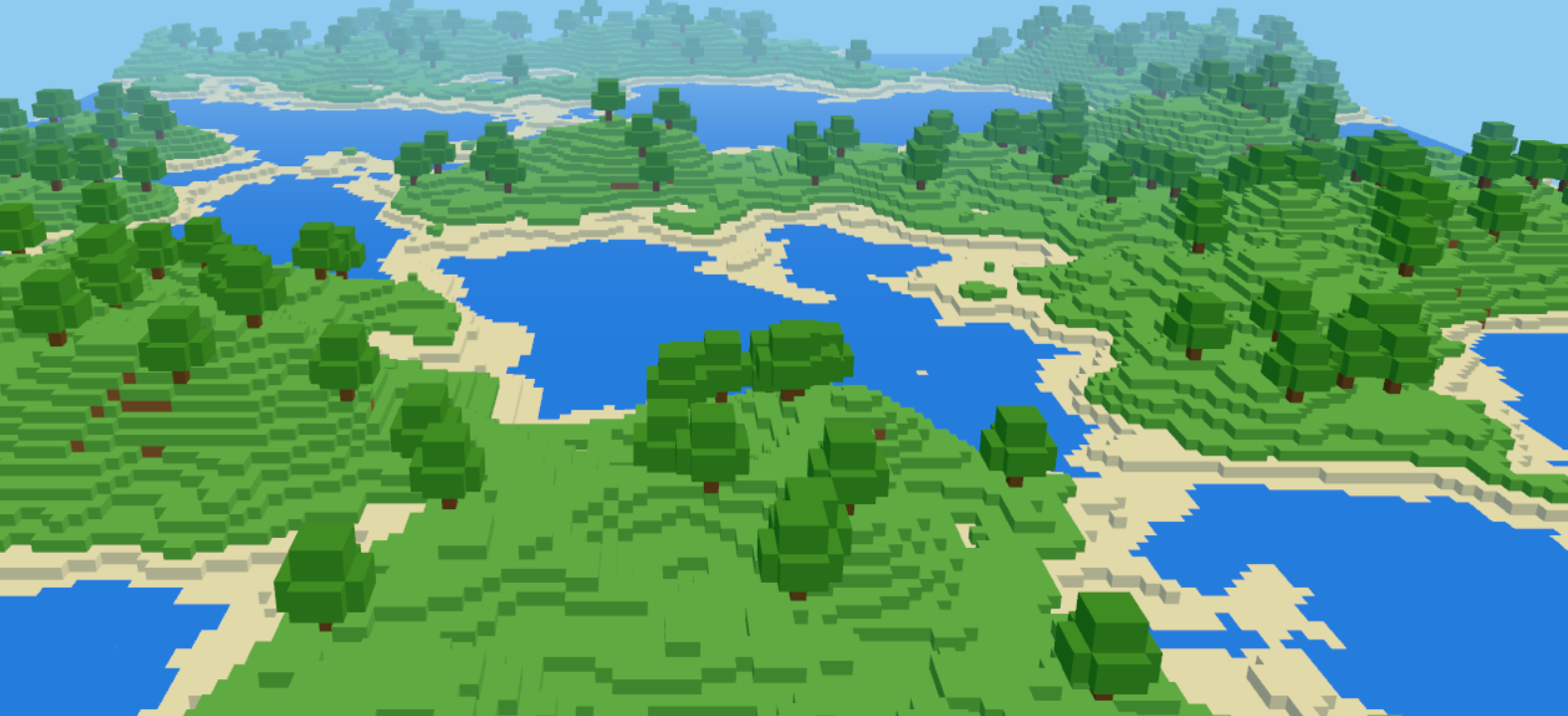
/shapes/: every built-in block shape as a coloured mesh with a wireframe overlay and a ground label./blockset/: every tile ofUV_cube.pnglaid out as a UV-mapped quad with col/row labels./transparency/: a diorama for transparency and lighting: blended water and glass, cutout leaves, grates and windows with explicit alpha modes, an alpha-gradient probe foralphaTest, and live light and layer controls./normal-map/: procedural relief tiles lit by an orbiting sun, with live normal scale and roughness./physics/: a 32×32 voxel terrain with ramps, stairs and slabs, and a Rapier3D sphere you roll with the arrow keys./noise-world/: a Minecraft-like world (oceans, plains, snowy ridged mountains) generated with themathnoise helpers, with live renderer and mesh counters. This is the benchmark example.
See examples/README.md to add one.
🧪 Benchmarks
Noise-world benchmark
Use /noise-world/ to measure the renderer under load. It builds a heightmap world from layered simplex noise (continents, ridged mountains, domain warp) and reports two separate costs: voxel writes via setVoxel and chunk meshing for dirty chunks.
It is configurable from the query string:
/noise-world/?size=1024&chunk=32&seed=42| Param | Default | Effect |
|---|---|---|
size | 512 | World width/depth in voxels (size² columns) |
chunk | 32 | chunkSize; trades draw calls against rebuild cost |
seed | 1337 | Terrain seed; the same seed always yields the same world |
workers | 2 up to 512, 4 above | Mesh workers, capped at hardwareConcurrency - 1; 0 meshes on the main thread |
The examples dev server sends Cross-Origin-Opener-Policy and Cross-Origin-Embedder-Policy headers, which mesh workers need for SharedArrayBuffer.
Headless benchmark
The browser HUD is only a sanity check; Vite's checker inflates timings. Run headless instead:
pnpm run bench
pnpm run bench --workers 8
pnpm run bench:compare
--workers N meshes in N worker_threads ticked at 60 fps; main thread then reports the event loop busy time instead of the flush duration.
Use the minimum of three runs when comparing numbers, since single runs can drift a lot on a throttled machine.
Block light and frame benchmarks
pnpm run bench:light --size 256 --lights 300
pnpm run bench:render --size 256 --lights 400 --resolution 1024
pnpm run bench:render --webgpu
block-light.bench.ts times the CPU side of block light on a stone floor with scattered lights and pillars: first and full relight, texture fill, falloff switch, single edits and the idle update. --tint sets the light colour. A coloured light relights on a falloff switch; a white one only rewrites its textures.
render.bench.ts reports the frame time of a lit map in headless Chrome (WebGL by default, --webgpu for WebGPU), with and without block light, glass and the glow pass. Three only advances its node frame inside the animation loop, so the bench page swaps requestAnimationFrame for an unthrottled one. The numbers are throughput, not latency, and only compare between runs on the same machine.
🔥 Troubleshooting
If something isn't working as expected, enable verbose logging to get detailed runtime output:
// Enable debug logs for the entire runtime
const { world } = runtime;
world.logger.setLevel("debug");
world.logger.enableNamespace("*");
Pass a custom logger to VoxelDocument and VoxelView when they are not hosted by a runtime:
import { Systems } from "@jolly-pixel/engine";
import { VoxelDocument, VoxelView } from "@jolly-pixel/voxel.renderer";

const logger = new Systems.Logger({
  level: "trace",
  namespaces: ["*"]
});

const document = new VoxelDocument({ logger });
const view = new VoxelView(document, { logger });
Contributors guide
If you are a developer looking to contribute to the project, you must first read the CONTRIBUTING guide.
Once you have finished your development, check that the tests (and linter) are still good by running the following script:
$ pnpm run test
$ pnpm run lint
CAUTION
In case you introduce a new feature or fix a bug, make sure to include tests for it as well.
License
MIT